Visit the site
Visit the siteOrganizations Involved
Community contributions
Skvare maintains the CiviCRM Entity module on Drupal.org, which provides Views integration and native Drupal entity support for CiviCRM data. Work on this project contributed to ongoing improvements in how the module exposes membership and compliance data within Drupal's content and display architecture.
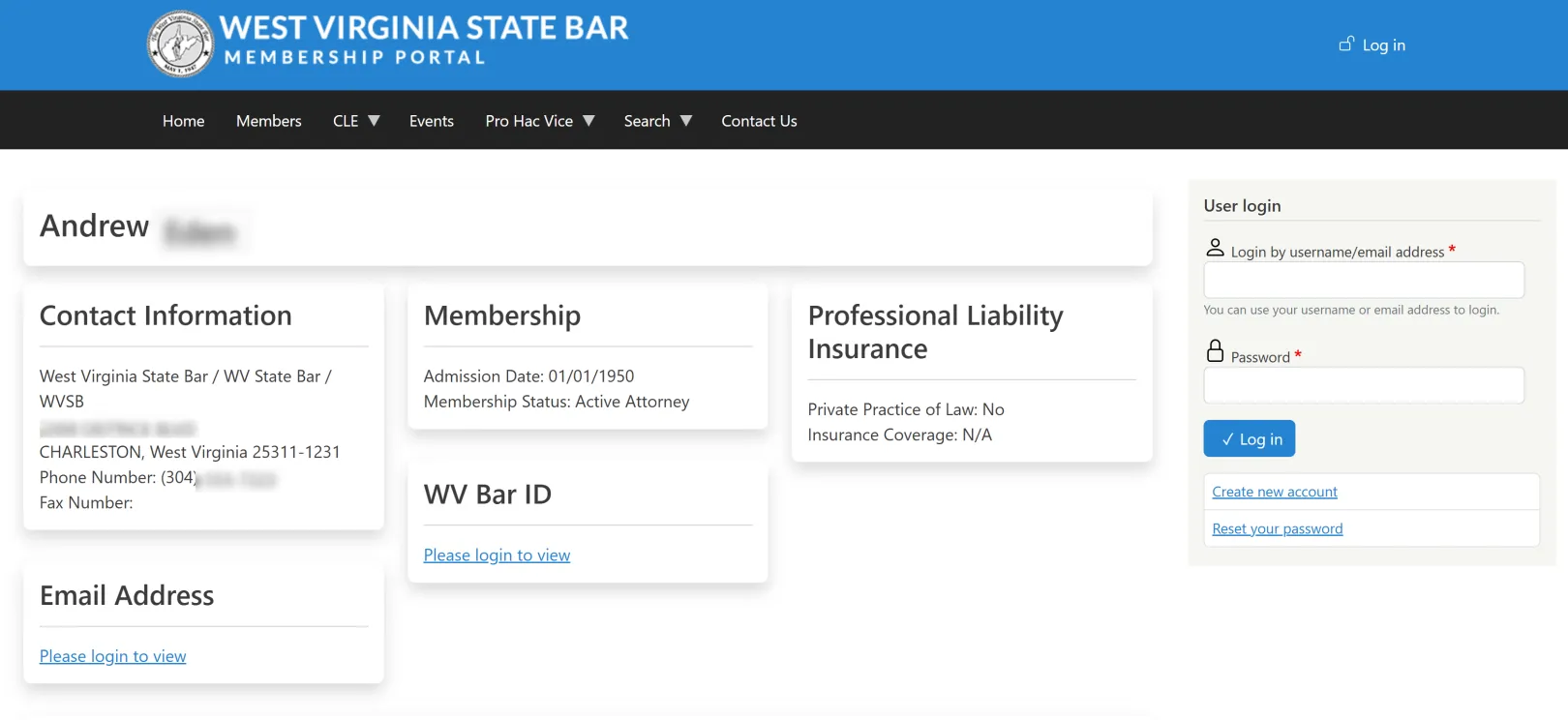
The West Virginia State Bar is an agency of the Supreme Court of Appeals of West Virginia, responsible for licensing and compliance oversight for more than 9,000 attorneys across the state. The Bar manages annual membership renewals, mandatory continuing legal education (CLE) tracking, firm billing, IOLTA reporting, and pro hac vice registration — all subject to strict judicial reporting requirements.
The previous system, built on an older version of Drupal, had accumulated over 10,000 lines of custom code to handle credit calculations and compliance rules. The codebase was fragile, difficult to maintain, and confusing for attorneys to use. Staff regularly performed manual reconciliation to correct errors the system could not catch on its own.
Skvare rebuilt the membership portal on the latest version of Drupal, replacing custom code with Webform-powered workflows and using Drupal's Layout Builder, role-based menu system, and membership role sync to deliver a fully personalized experience to each user type — without building separate pages or separate sites for each one.
About the project
Outcomes
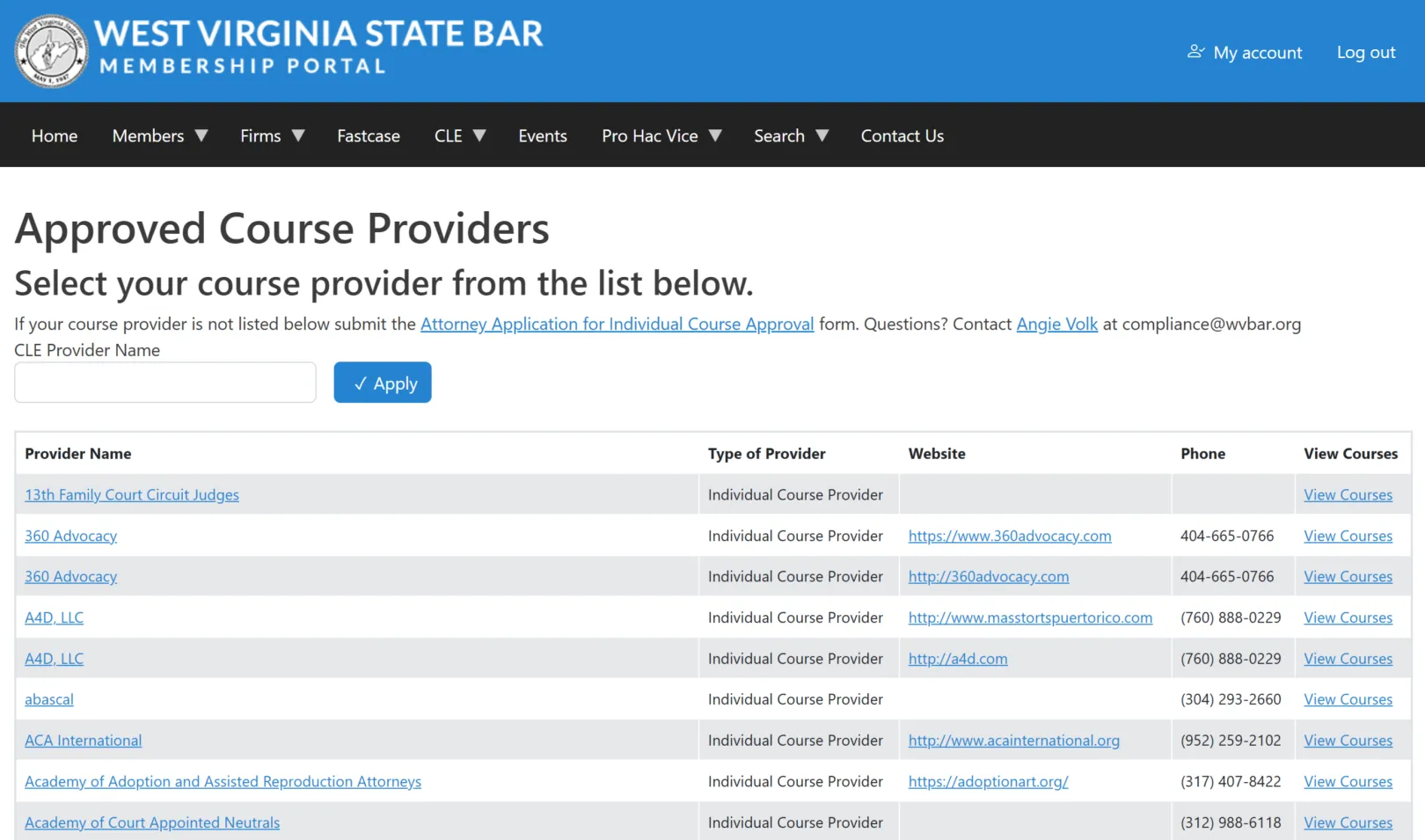
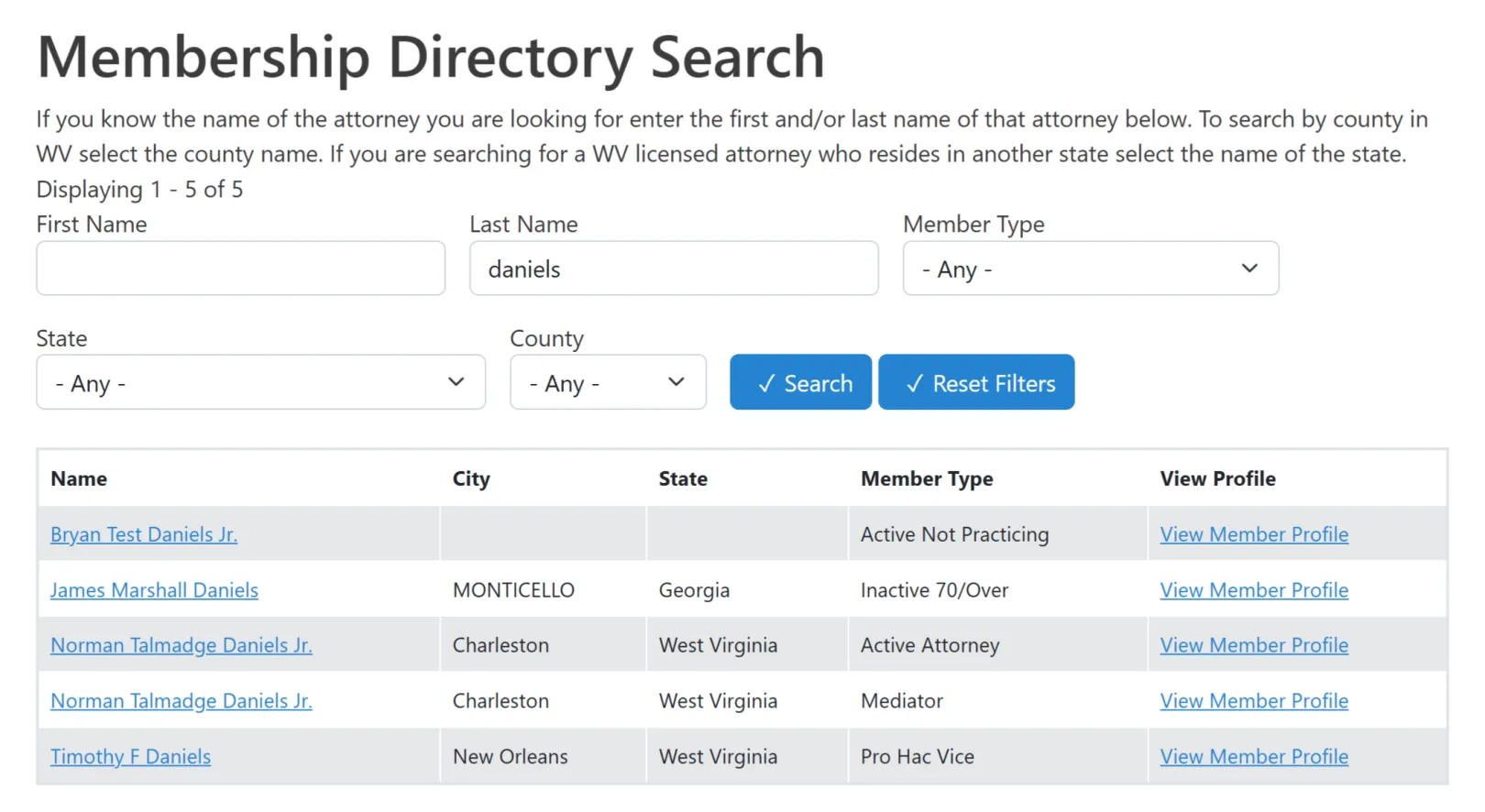
More than 9,000 attorneys can now renew memberships, submit continuing legal education credits, verify compliance status, and download official transcripts through self-service tools — without contacting Bar staff. CLE providers submit course completions and import bulk attendance lists directly through the portal. Firm administrators manage renewals and payments for multiple attorneys and download consolidated invoices. The system automatically enforces judicial compliance rules and updates membership status, eliminating the manual reconciliation that previously consumed significant staff time each reporting period.
Challenge
The Bar's previous platform had grown difficult to maintain. An older Drupal system with over 10,000 lines of custom code handled credit calculations and compliance rules, but the code was fragile and hard to update as judicial requirements changed. Attorneys found credit totals confusing and the submission process unclear. Staff regularly had to manually fix calculations and reconcile payment records.
The Bar also needed to serve several distinct user types — individual attorneys, continuing legal education (CLE) providers, law firm administrators, and Bar staff — each with different workflows, data access, and navigation needs. Building and maintaining separate experiences for each group on the old platform was not sustainable.
Solution
Skvare rebuilt the membership portal on the latest version of Drupal, replacing custom code with four core capabilities working together: Webform for submission workflows, Layout Builder for the personalized dashboard, role-based menu controls for navigation, and membership role sync to keep everything current automatically.
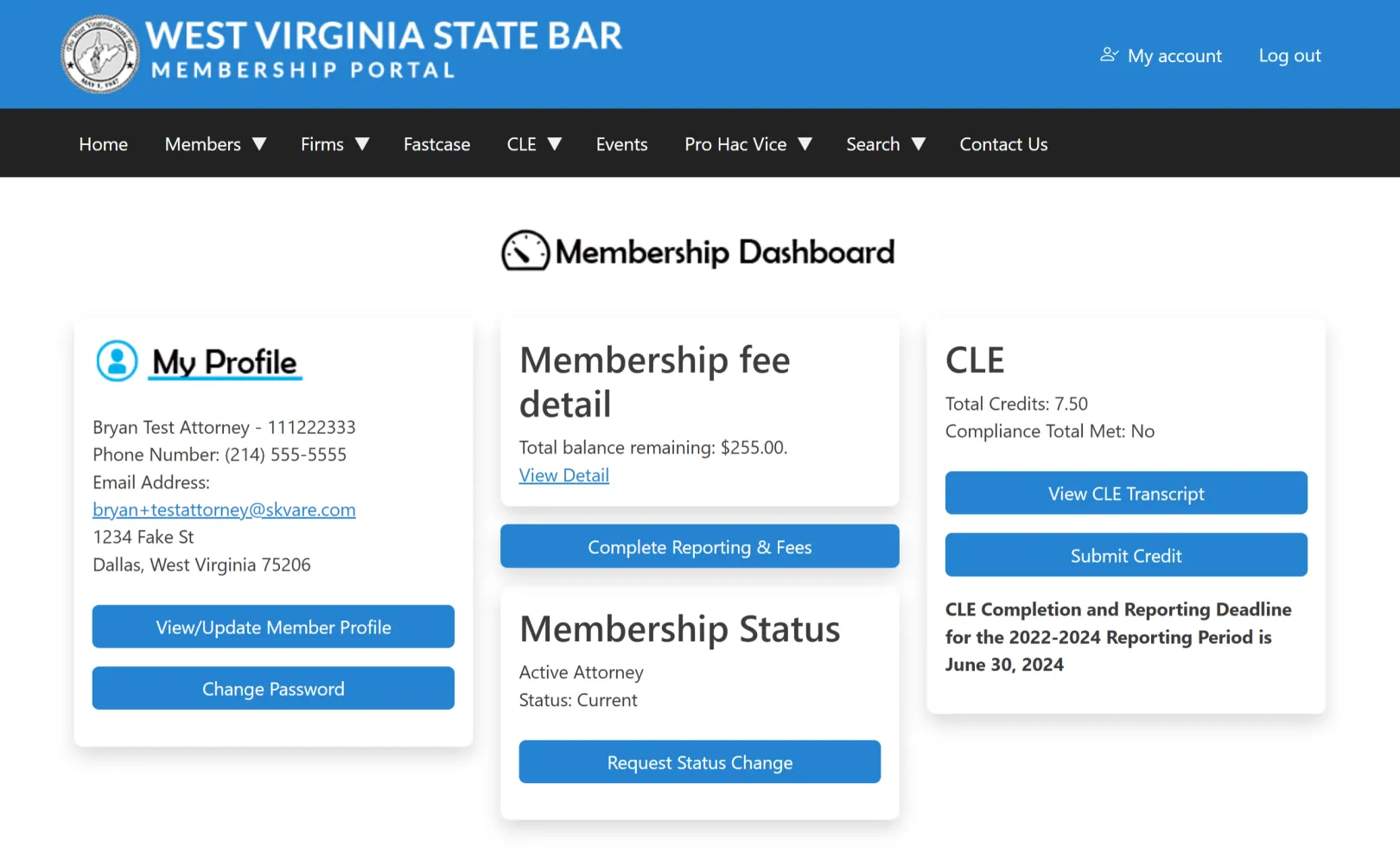
One platform, multiple personalized experiences. The membership portal uses Drupal's Layout Builder with block-level permission controls, combined with role-based menu visibility. All dashboard sections and navigation items exist within a single site — but each user sees only what their role permits. An attorney sees membership fees, CLE progress, and pro hac vice tools. A CLE provider sees course submission tools and approved course lists. A firm administrator sees employee rosters and billing. Bar staff see everything. When a membership status changes in CiviCRM, the attorney's Drupal role syncs automatically — updating their dashboard and menu access without any manual intervention.
Webform handles every major submission workflow:
- Annual membership renewals, fee payments, and reinstatements through a unified form that calculates dues automatically based on membership type and fiscal year logic
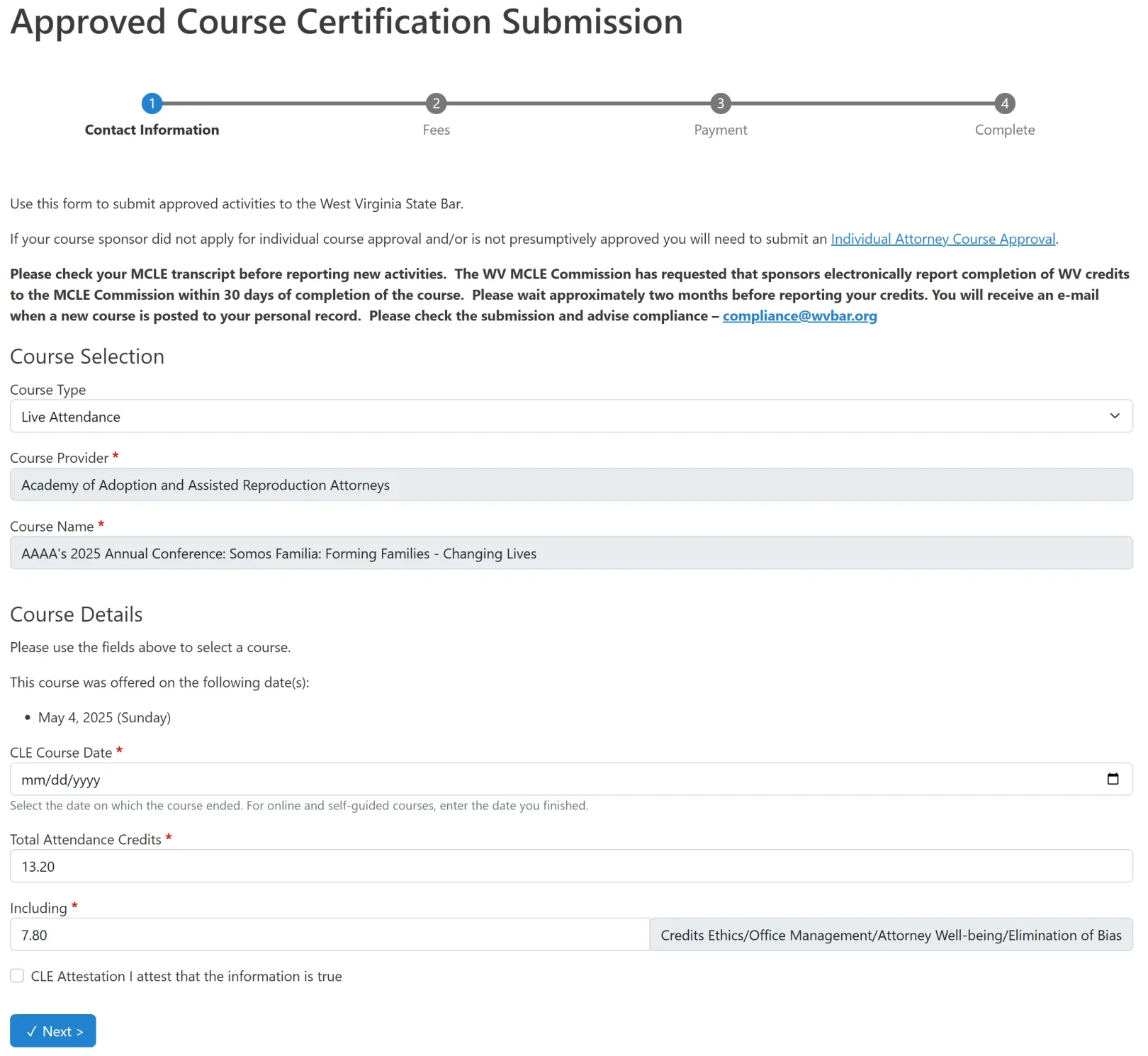
- Continuing legal education and Mandatory Continuing Legal Education (MCLE) credit submissions, routed through a staff review and approval workflow with automatic record updates on approval
- CLE provider course submissions that automatically create structured Drupal content nodes — providers fill out a Webform and the course appears as a published node without any staff data entry
- Bulk course attendance uploads for CLE providers, so large events can be processed without individual submissions
- Firm management forms where administrators submit payments for multiple attorneys and download consolidated invoices
- Conditional messaging that displays context-specific guidance based on an attorney's current compliance status — attorneys who are suspended or behind on credits see instructions before they can proceed
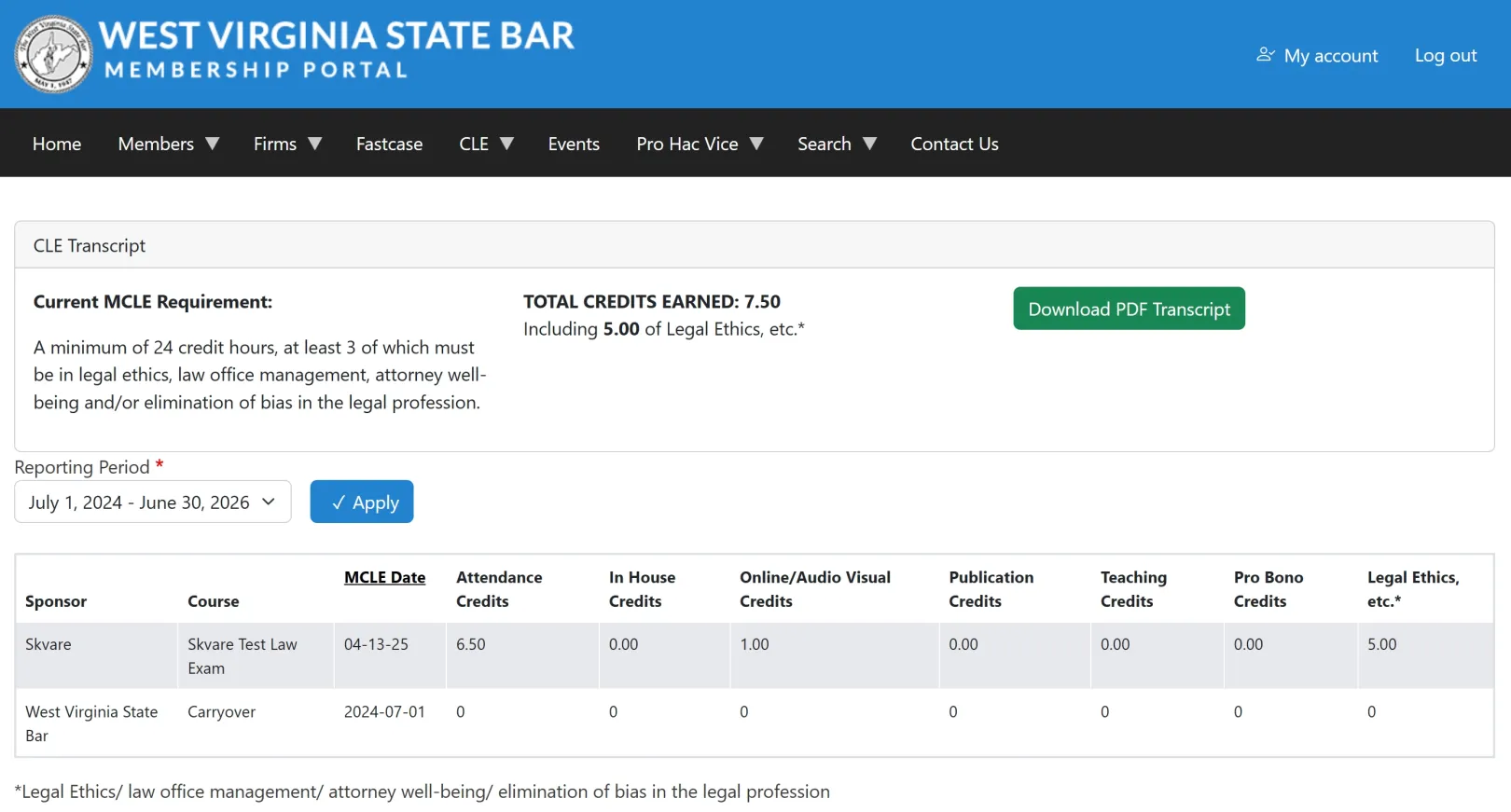
Attorneys can download official CLE transcripts as PDFs directly from their dashboard, generated on demand using Drupal's document rendering tools.
By replacing over 10,000 lines of fragile custom code with Drupal's Webform, Layout Builder, and role-based permission system, the West Virginia State Bar gave every user type a clear, reliable path through their workflows — and gave staff a platform they can configure and maintain without developer support.
Why Drupal was chosen
The Bar needed a platform flexible enough to enforce complex judicial compliance rules while remaining configurable by staff without custom development for every change. Drupal's Webform module provided the form logic — conditional fields, calculated fees, role-based access, and submission routing — without requiring a custom-built solution for each workflow.
Drupal's permission system, Layout Builder, and role-based menu controls made it possible to build one unified platform that serves a completely different experience to each user type. Attorneys, continuing legal education (CLE) providers, firm administrators, and Bar staff all log in to the same site, but each sees only the dashboard sections, navigation items, and tools that apply to their role. Modules that sync CiviCRM membership status to Drupal roles mean this personalization updates automatically as membership status changes — no manual role management required.
Migrating from an older Drupal installation also gave the Bar a clear upgrade path — preserving years of institutional data while replacing over 10,000 lines of fragile custom code with Drupal's built-in configuration tools. The long-term value of open-source, vendor-independent infrastructure aligned well with the Bar's obligations as a judicial agency.
Technical Specifications
Drupal version:
Key modules/theme/distribution used:
Webform
The central tool for all member-facing submission workflows. Webform's built-in conditional logic, field calculations, and submission routing replaced over 10,000 lines of custom code that previously handled fee calculations and compliance enforcement. Annual renewals, CLE submissions, reinstatements, bulk course imports, and firm billing all run through Webform with no custom development required for the form logic itself.
Webform CiviCRM
Connects Drupal Webform submissions directly to membership records in CiviCRM. CLE submissions create activity records automatically. Membership renewal forms sync payment and status data without manual re-entry. This integration allows Webform to serve as the member-facing layer without duplicating data management between systems.
Webform Content Creator
Turns CLE provider course submissions into structured Drupal content nodes automatically. When a provider submits a course through a Webform, the module creates a corresponding Drupal node — making the course available for display and review without any manual staff data entry. This keeps the course catalog current while giving the Bar full control over content structure and approval workflows.
Layout Builder (core)
Powers the role-based membership dashboard. All dashboard sections for every user type — attorneys, CLE providers, firm administrators, and Bar staff — exist as blocks on a single page. Block-level permission controls determine which sections each role can see, delivering a personalized experience without separate pages or templates for each user type.
Menu Item Role Access
Controls navigation visibility by role. The Bar's membership portal includes menu items for attorneys, CLE providers, firm administrators, IOLTA bank contacts, and Bar staff. Each role sees only the navigation items relevant to their workflows. Combined with Layout Builder's block-level controls, this gives every user a fully scoped experience from a single Drupal installation.
CiviMember Roles Sync
These modules connect CiviCRM membership status to Drupal's role system. When an attorney's membership status changes in CiviCRM — becoming active, suspended, or inactive — their Drupal role updates automatically. That role change immediately cascades through the entire Drupal experience: Layout Builder blocks appear or disappear, menu items adjust, and access controls apply. The personalized portal experience stays current without any manual role management by staff.
Entity Print
Generates downloadable PDF documents from Drupal Views and content. Used to produce official CLE transcripts that attorneys can download directly from their dashboard. Keeping transcript generation within Drupal's display layer means the output is consistent and does not require a separate document management tool.
ECA (Event Condition Action)
Handles automated workflow logic triggered by events within the platform — such as sending notifications when a CLE submission is approved or flagging accounts when compliance deadlines approach. ECA provides a configurable, rules-based automation layer without custom code.
CiviCRM Entity
Exposes CiviCRM membership records, activity data, and compliance information as native Drupal entities, making them available to Views, Layout Builder, and the Webform data layer. Skvare maintains this module and contributes improvements back to the community as part of ongoing development.
Views (core)
Used to display membership data, CLE credit totals, course lists, compliance summaries, and approved courses within the dashboard. Views surfaces structured data through the Drupal display layer, giving attorneys and staff real-time visibility into their records without leaving the portal.