Sector(s)
Team Members
Jira is an incredibly popular project management and issue tracking tool and is very flexible and adaptable to project workflows and can be further enhanced with the extensive application ecosystem that surrounds the product. In a recent project, we used Maestro AI to supercharge a Jira workflow to offload external participant feedback loops to Maestro and let Maestro AI determine which feedback loop to use.
About the project
The Problem
Our customer is a long-established organization with a mature and deeply integrated suite of software tools. Their users are well trained, systems are stable, and long-term software vendor contracts are already in place. As a result, replacing or restructuring core tools to meet new business requirements is not a practical option.
Like many organizations, the customer regularly collaborates with external vendors, contractors, and members of the public during the design, development, and evaluation of their products. This introduced a critical challenge:
How to maintain [their] current suite of software tools and still allow external participants to provide crucial data back into [their] environment without having to create discrete user accounts for every external participant?
When you need external participants to provide input into your product development processes, traditionally you would create an account in your internal system for the vendor, user or customer to log in to. In this use case, Jira. The customer had to create an account for every external participant in Jira in order for the participants to provide crucial feedback. Why is this a problem you ask? Simple! You are expecting external participants to manage their user accounts in your system and even learn the ins-and-outs of how you use, in this case, Jira. This became an administrative headache for the customer and the external participants in the customer's product development processes.
The Requirements
The customer uses Jira as the central system of record for all issues, requests and interactions, ranging from internal IT tickets to external inquiries. To support their evolving processes, they needed a solution that would:
- Automate feedback loops required by their internal processes which would in turn alleviate the need to create and maintain external user accounts.
- Allow their internal users to keep using Jira as they always have.
- When a Jira ticket changes status, that data should be sent to a workflow and automatically determine what to do with it such as involving external participants or not. If external participation is required, determine the best workflow to send to the external user without having the need to create a user account for them.
Using Maestro and Maestro AI, we delivered a fully self-managed solution that met all requirements without disrupting existing systems.
The Outcome
Using Maestro AI, we were able to create a solution which:
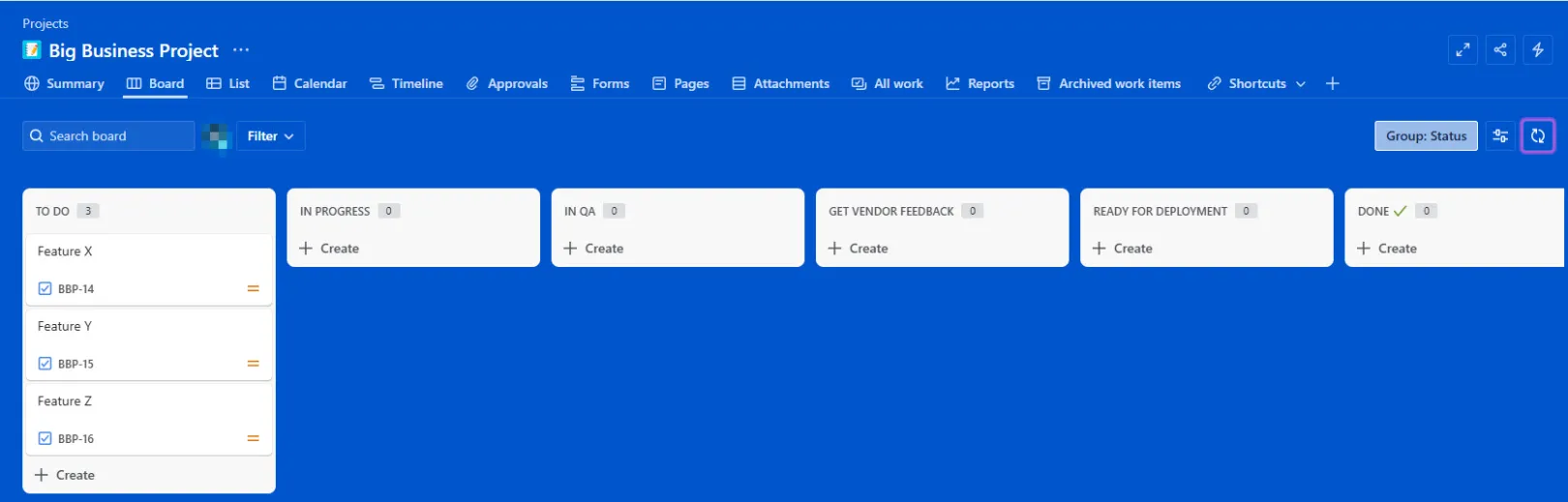
- Used existing capabilities of Jira to launch Maestro AI-enabled workflows.
- Used Drupal and Maestro to create workflow templates which were chosen via Maestro AI based on the Jira ticket and Jira workflow status.
- Sent external participants a Maestro task which they could complete anonymously and return that data back into the Jira workflow.
- Eliminated the need for the customer's IT and project management teams to pay for, manage and maintain user accounts for external participants, thereby saving cost and aggravation.
We configured Jira to directly feed its data into a Maestro AI-enabled workflow.
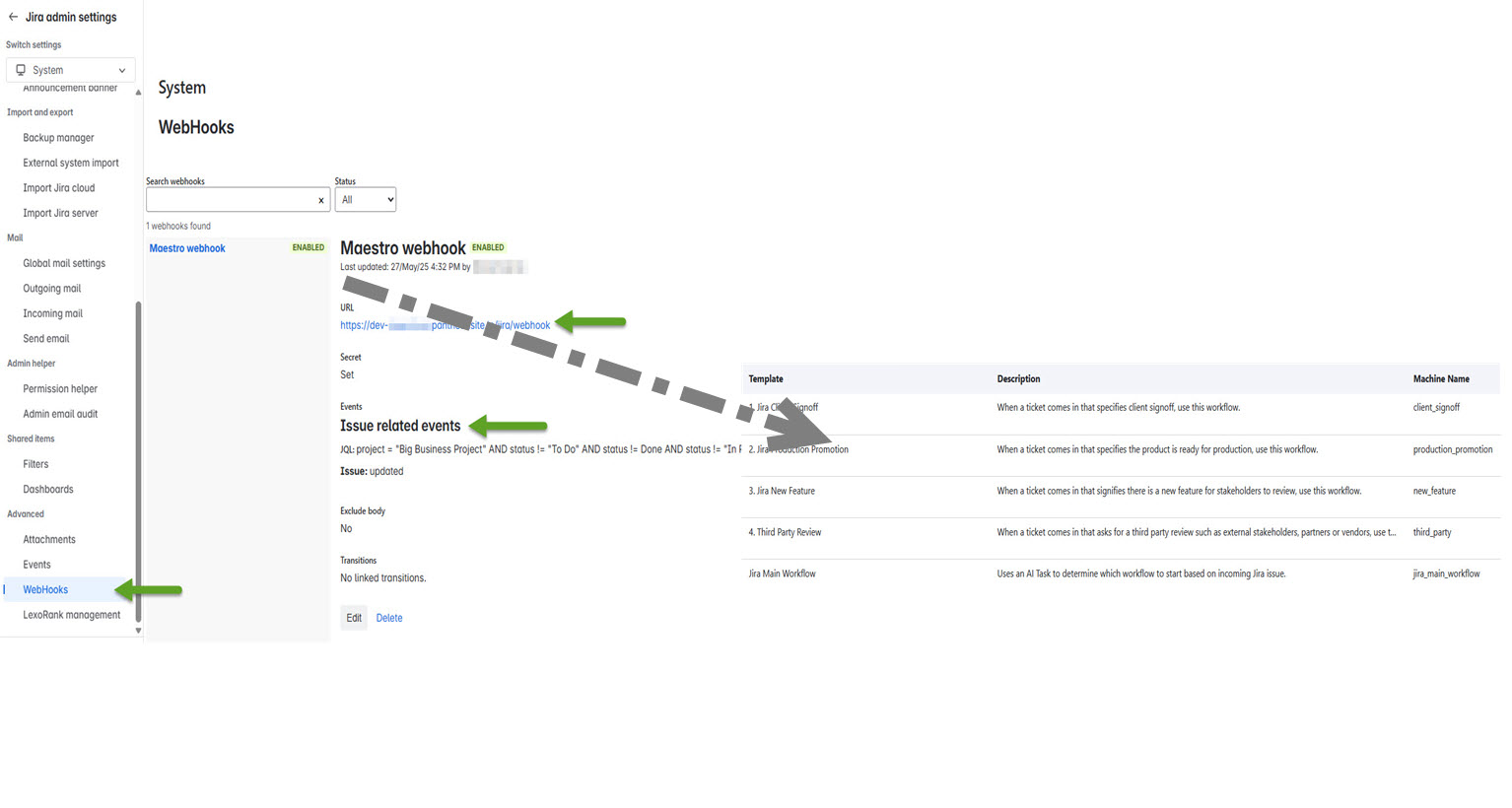
As a result, the customer eliminated the need to provision, manage, and secure external Jira accounts, reducing costs, administrative overhead and security risk.
By connecting Jira webhooks directly into Maestro AI workflows, the organization offloaded external data collection to Drupal and Maestro using a simple, low-code parent flow. The end result was a more secure, more efficient process that preserved existing tools while enabling seamless external collaboration and saved money in the process!
Why Drupal was chosen
The companies for which Nextide works with are either considering using Drupal for their business applications or are existing Drupal users who wish to get more out of their Drupal investment.
When you combine Maestro and Drupal, an incredibly powerful business automation experience is created that allows businesses to use their Drupal investment as a way to convert anonymous users to paying customers and also manage their business automation needs.
Technical Specifications
Drupal version:
Key modules/theme/distribution used:
Drupal as a platform to create business applications is second to none. The available modules, the ability to make rich and functional websites and the excellent developer experience allows for these types of robust business applications to be created.
Maestro is the only business process automation engine available on Drupal and has been under constant support and development by Nextide since its inception in 2003. Business processes deal with humans, exceptions and edge cases which Maestro has proven to be capable of automating for years.