Sector(s)
Our client, a leading “provider” of both sports and entertainment fan experiences — Maple Leafs Sports & Entertainment Ltd. (MLSE) — challenged us to help them achieve their goal: growing this professional basketball team's fan base.
How?
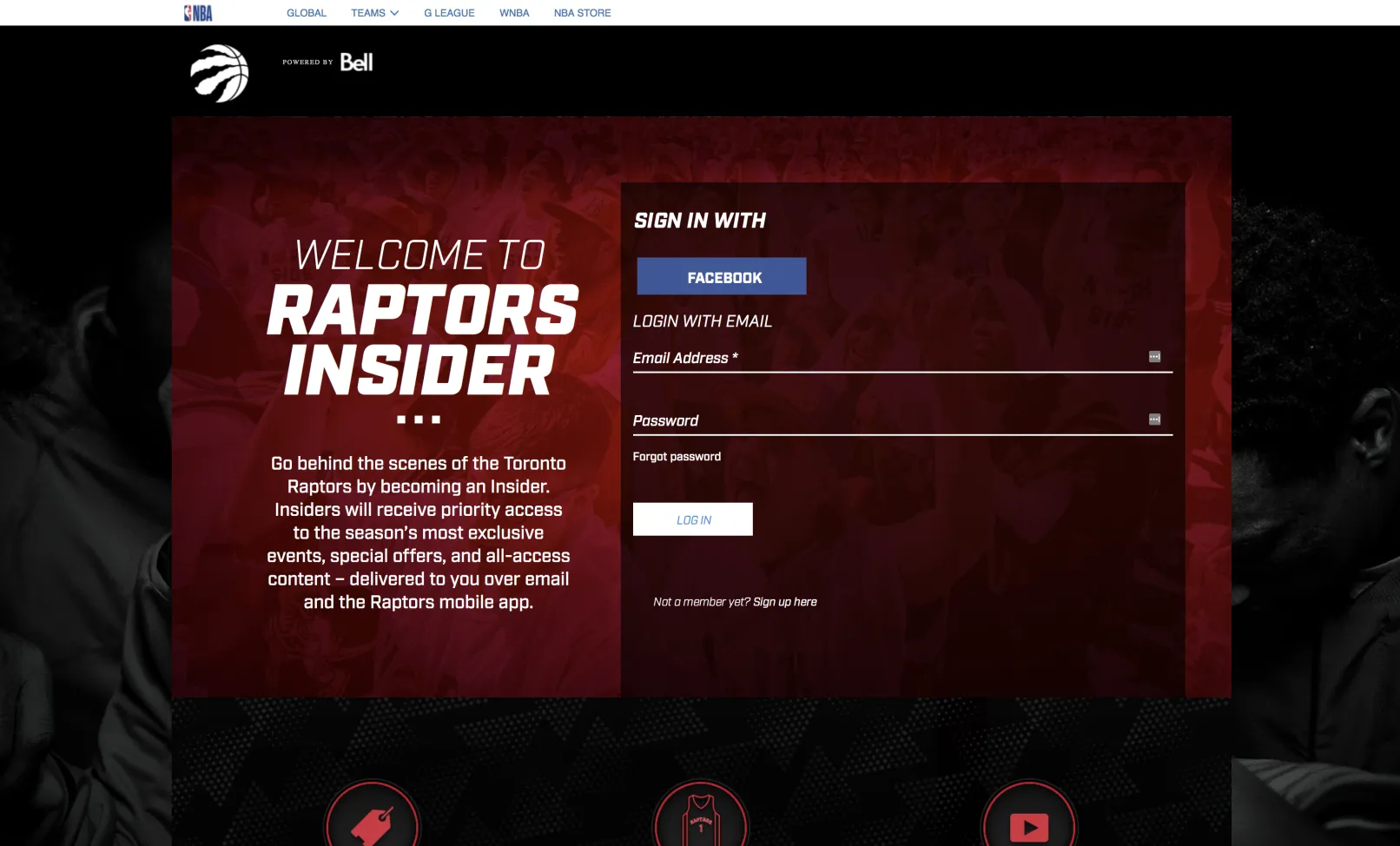
By building, from scratch, a Drupal-based community website where Toronto Raptors’ supporters would get access to exclusive content. Fan-engaging content of various types, served across multiple user devices, pulled from various third-party sources.
And this is precisely what we've managed to turn the Toronto Raptors' fan site into.
About the project
The Drupal website that we were about to build, from the ground up, was planned to serve one main purpose: growing into a fan-community site where the Toronto basketball team's supporters could access exclusive content.
… engaging, constantly updated exclusive content such as:
- offers
- real-time news
- giveaways
- all kinds of exclusive fan contests
- user/fan-generated content
- video content
In other words: the community site would provide various types of value-added content to be turned into... unforgettable fan experiences.
Our own clearly defined “mission”, as the team in charge with turning this goal into digital reality, was: to build and to grow this team's fan base.
A “mission” backed by the client's 2 more specific requirements:
- that the resulting fan site should easily integrate with third-party services; this would make third-party authentication possible, as well as collecting updated, relevant content from these various third-party sources
- that this exclusive content should be easily (and seamlessly) served across multiple user devices
Special Technical Requirements
To integrate the fan website with a media-rich platform: Vimeo.
One of MLSE's “special” expectations was that their new Drupal fan-community site would serve exclusive video content, as well, to its visitors.
This is why we've integrated it with Vimeo platform services, making it possible for video content to be pulled, right from its source platform, via API.
And there's more! The website integrates with the Janrain CIAM platform, as well, known for using the very same database that lots of MLSE apps and services are using.
Needless to add that this integration makes cross-app user sign-in possible.
To sum it up now, here are 2 main benefits that derive from implementing the Janrain API:
- token sign-in validation with mobile applications
- user data gets easily exchanged and sessions validated
Challenges & Solutions
“How are we going to synchronize content between the Drupal platform and the Vimeo account?”
This was the question that quickly turned into the main challenge for us.
The Vimeo content served on the website had to support:
- live updates
- multiple displays; videos were to be structured into several feed types, series, and dynamic blocks
And coming up with the most suitable solution for this challenge wasn't going to be easy since we knew that:
- resource call limitations
- performance caps
… would make our job even harder.
The solution? A forced manual update for purge all/fetch all.
Running updates this way does cause a website downtime. It requires a scheduled content (with the right params) retrieval, a re-categorization and indexation of the Vimeo content through a complex caching system.
No point in hiding the “ugly” truth here.
This is why we've scheduled the video content retrieval (programmed inside a cron job) precisely for those hours where traffic is at its lowest level on the platform.
Project-Specific Functionality Implemented
A “token login from a mobile application” type of functionality. One that validates user credentials by passing a secret session token used by the Janrain CIAM.
How does this functionality translate into user benefits?
- site visitors can move from the website to a mobile app with just one click login
- it integrates multiple web displays fed from the fan site right into the mobile app's screen
Another project-specific implementation that we focused on was: configuring the Janrain workflow so that it should be used on a multisite setup.
This way:
- retrieving (and updating) certain fields from the global Janrain user data object became possible
- various sub-sites can access and update data stored by the CIAM
Why Drupal was chosen
The idea had been to stick to Drupal — to Drupal 7 to be more specific — from the very start. We were to build a custom architecture, then to develop and integrate all the required, project-specific components.
And the fast component development was already one of the “hardest-to-resist-to” reasons for choosing Drupal.
Moreover, the fan-community site would benefit from the platform's unmatched scalability: it was expected to grow both in traffic and in content load.
Why Drupal was chosen in the first place:
- because of its robustness
- because it allowed custom and advanced features to be further extended (a crucial “little detail” to consider when developing a user-centered website)
- because it integrates seamlessly and effortlessly with a plethora of third-party services, apps, and sites
- because of its user service
- because of its whole granular permission system: various sections on the website could be accessed exclusively by users having specific roles and different levels of permission
- because it enables configuring dynamic pages conveniently easy, via extended web admin UIs
How Drupal met this project's specific requirements:
- it made MVP development ideally fast
- it easily integrated with our team's specific Agile processes
- it enabled rapid component development
Technical Specifications
Drupal version:
There are a few key reasons why our “toolbox” included precisely these modules:
- they enable module extension and configuration updates
- they streamline the development of new components (new content types, for example, that we had to create and implement)
- they speed up the overall development process
- they simplify code deployment (Features)
Now if we are to be more project-specific when backing up our module choices with arguments:
- it's this particular selection of Drupal modules that enhanced integration with the third-party services later added to the website
- they just fit our team's agile web development process(s)
Tools That We Used:
- Jira for project tasks and sprints management
- Confluence for documenting all the features that we implemented and all the used resources (e.g. diagrams, test scenarios, deployment, media)
- Slack for communication within our team and among teams
- PHPStorm for IDEs